Plugin Manager for BearBlog
Copy+paste this code into your Customise Dashboard page (under 'Dashboard Footer Content'), then visit your blog's dashboard and click the 'Plugins' link. Plugins are installed from BearBlog Plugins.
<script src="https://cdn.jsdelivr.net/gh/hermanmartinus/bear-plugins/plugins/plugin-manager.js"></script>
Note: Plugins are installed only on your local machine.
What it looks like
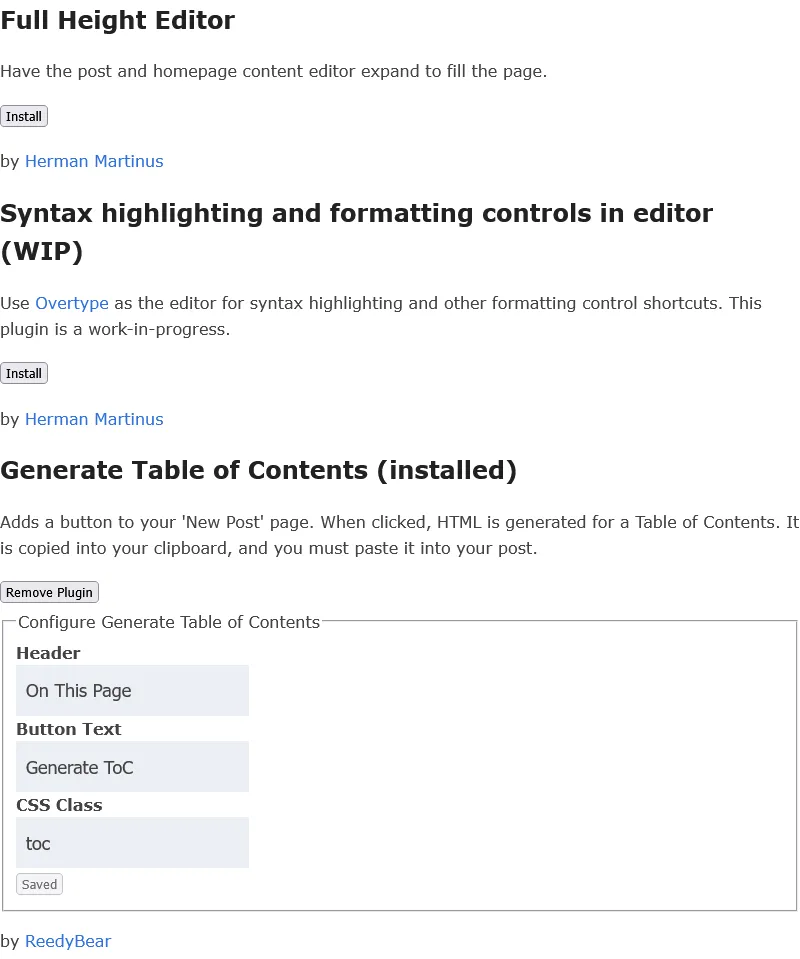
Notes
Note: Plugins are only installed on your local machine, and this only supports Dashboard plugins at this time. Blog Plugins must be manually installed. Dashboard plugins can be installed manually if you're not happy with local-only installation.
Warning: Plugins are unofficial and there is no guarantee of security. You may wish to review code before installing
Report Bugs: Email me at reed [at] reedybear [dot] com. I do not plan to support feature requests (though I'll take note of requests), but I do plan to fix bugs. If you report an issue on Github, email me as well; I do not check Github often.
About
Herman created a Plugins Github that any of us can submit plugins to. I wanted a way to install plugins through a UI, rather than copy+pasting script tags into my customize dashboard page.
This version of my Plugin Manager only supports dashboard plugins. I might add blog plugin support, but I don't know. This thing took about 8 hours to build over the last week, and I'm a bit burnt out at the moment.
Blog plugins can be installed manually on your Header & Footer Directives page, by copy+pasting scripts from the Plugins Github.